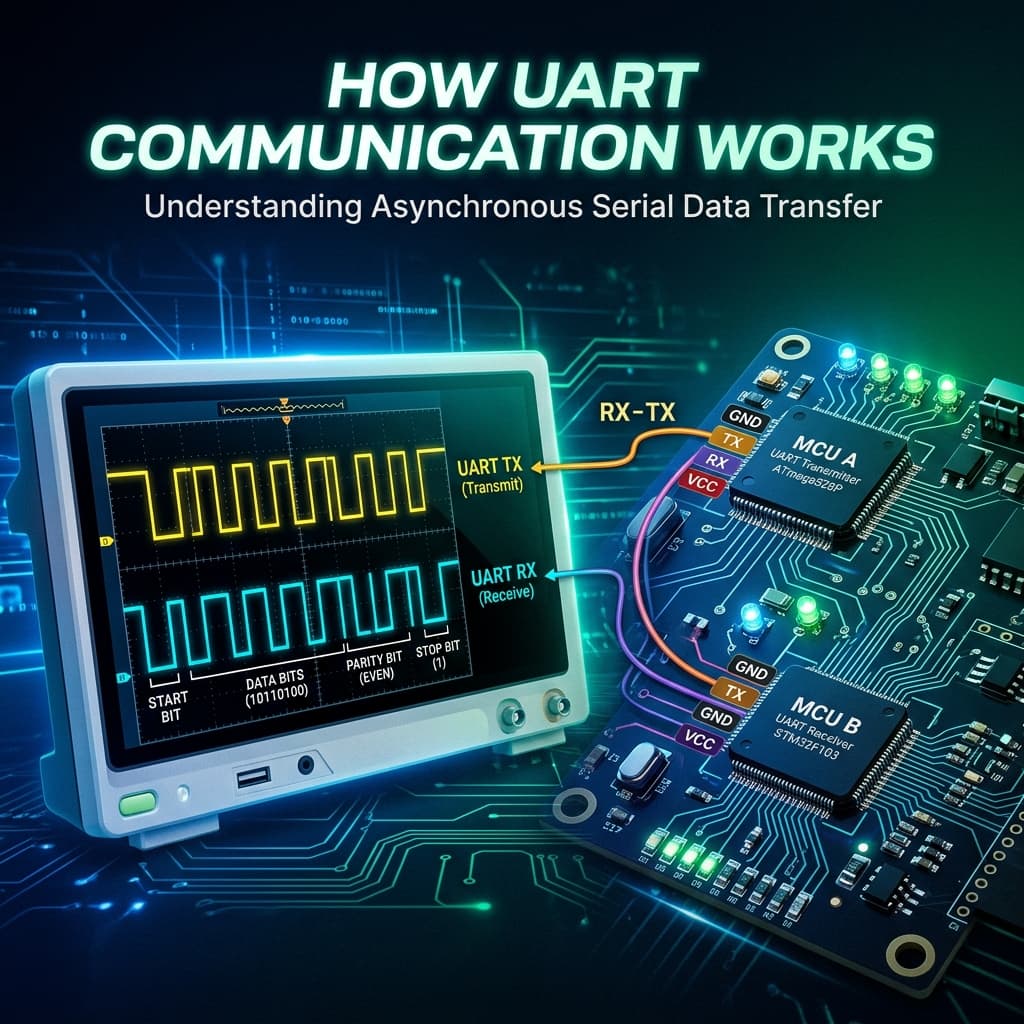
UART Data Frame: Anatomy of Every Transmitted Byte
- [UART start bit] [signals] [beginning of a byte transmission as a LOW pulse]
- [Baud rate] [synchronizes] [transmitter and receiver bit timing without a clock wire]
- [UART TX crosses to] [RX of the other device] [for bidirectional communication]
| Bit | Value | Purpose |
|---|---|---|
| Start Bit | Always LOW (0) | Signals receiver to begin sampling — pulls idle HIGH line low |
| Data Bits (8) | LSB first | The actual data byte, sent least-significant-bit first |
| Parity Bit | Optional (Even/Odd) | Error detection — counts 1s in data byte; rarely used today |
| Stop Bit(s) | Always HIGH (1) | 1 or 2 bits — returns line to idle HIGH state after byte |
UART vs SPI vs I2C: When to Use Which Protocol
See also our dedicated UART vs SPI vs I2C comparison guide for a full shootout table.
📡 UART — Use When:
Point-to-point communication (GPS, BT, GSM). Asynchronous — no clock needed. Modules that speak "AT commands". Debug serial console. Distances up to a few metres.
⚡ SPI — Use When:
High-speed (up to 80 MHz). Multiple slave devices with separate CS pins. SD cards, displays, ADCs. Short PCB traces required.
🔗 I2C — Use When:
Multiple devices on 2 wires. Sensors on same board. Up to 127 addresses on SDA/SCL. Slower than SPI (100–400 kHz typical) but great for sensor arrays.
Frequently Asked Questions
How does UART communication work?
UART sends data bit-by-bit asynchronously. Both devices pre-agree on baud rate. Each byte is framed: 1 start bit (LOW), 8 data bits (LSB first), optional parity bit, 1–2 stop bits (HIGH). The receiver samples each bit at the center of the bit period using its own clock.
What is baud rate and how do I choose it?
9600 bps for long cables/GPS, 115200 bps for most projects (HC-05 Bluetooth, USB-serial bridges), 921600 bps for ESP32 firmware flashing. Both sides must match exactly — even 1% mismatch causes framing errors over long transmissions.
Why must TX connect to RX and RX connect to TX?
TX is an output (transmits data), RX is an input (receives data). A-TX must feed B-RX so A can talk to B, and B-TX must feed A-RX so B can talk back. TX→TX or RX→RX connections result in no communication.
What is the difference between UART, RS232 and TTL serial?
UART is the protocol. TTL UART uses 0V/3.3V or 0V/5V levels (Arduino). RS232 uses ±12V inverted levels (PC serial ports). They are electrically incompatible — a MAX232 IC is required to bridge them. Never connect RS232 directly to Arduino GPIO.
How do I use UART with Arduino for GPS or Bluetooth?
#include <SoftwareSerial.h>. SoftwareSerial gps(10, 11); gps.begin(9600); Connect GPS TX → Arduino pin 10 (RX), GPS RX → Arduino pin 11 (TX). For 3.3V GPS modules connected to 5V Arduino, add a voltage divider on the Arduino TX line to avoid overvoltage on GPS RX.
Conclusion
UART is the oldest and simplest serial protocol — just two wires, a shared baud rate, and a well-defined frame format. It connects GPS modules, Bluetooth adapters, and debug consoles to every microcontroller ever made. Master cross-wiring, baud rate matching, and logic level compatibility, and UART will never cause you trouble again.