⚖️ Tilt Sensor Toggle Switch
Detect orientation changes or vibration and use it to toggle an LED on and off.
Overview
A ball-tilt sensor contains a tiny metallic ball that completes a circuit when the module is tilted at a certain angle. It's the simplest way to detect motion or orientation.
What you'll learn: Digital switch input, state toggling logic, and mechanical sensor basics.
Estimated time: 20-30 minutes. Difficulty: ⭐ Beginner-friendly.
Components Needed
| Component | Specification | Qty | Notes |
|---|---|---|---|
| Arduino Uno R3 | 5V | 1 | |
| Tilt Switch (SW-520D) | Ball-type | 1 | |
| LED | 5mm | 1 | |
| Resistor | 220Ohm | 1 | |
| Resistor | 10kOhm | 1 | Pull-down |
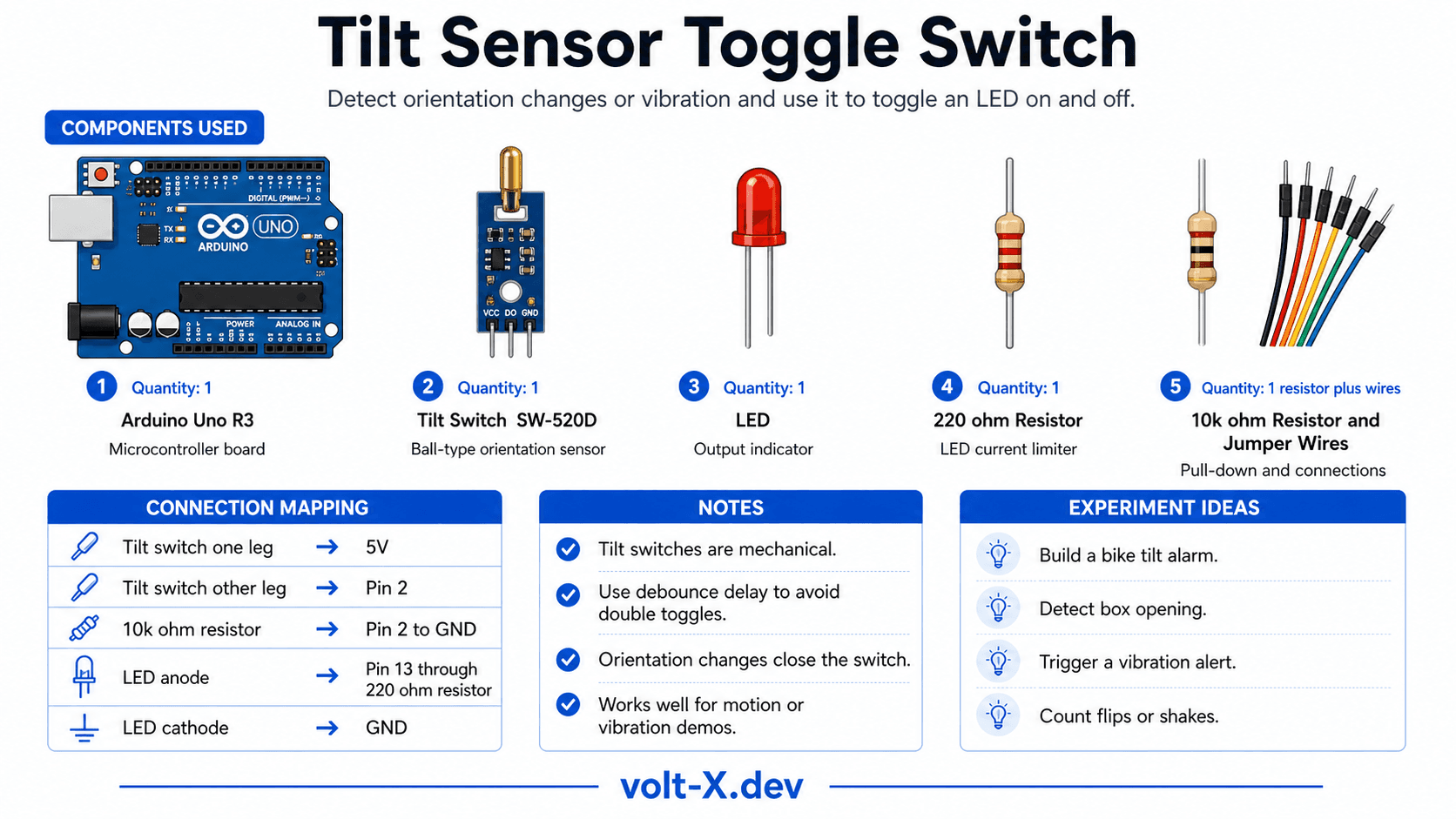
Component Pin Mapping
Step-by-Step Tutorial
1
Wire Tilt Sensor
Connect one leg to 5V, other leg to Pin 2 and GND via 10kOhm pull-down.
2
Wire LED
Connect LED to Pin 13 via 220Ohm resistor.
3
Upload and Tilt
Upload the code. Tilt the breadboard 90 degrees — the LED will toggle state.
Tilt switches are mechanical and can be "bouncy." The code uses a small delay to debounce the signal and prevent accidental toggling.
Arduino Code
tilt_toggle.ino
INO
// Tilt Toggle : Volt X
const int tiltPin = 2;
const int ledPin = 13;
bool ledState = LOW;

void setup() {
  pinMode(tiltPin, INPUT);
  pinMode(ledPin, OUTPUT);
}

void loop() {
  if (digitalRead(tiltPin) == HIGH) {
    ledState = !ledState;
    digitalWrite(ledPin, ledState);
    delay(500); // Simple debounce
  }
}Reviews & Ratings
—0 reviews
Sign in to leave a review
Loading reviews...