🌧️ Automatic Rain Sensor
Detect rainfall instantly and trigger a buzzer alarm to protect your outdoor belongings.
Overview
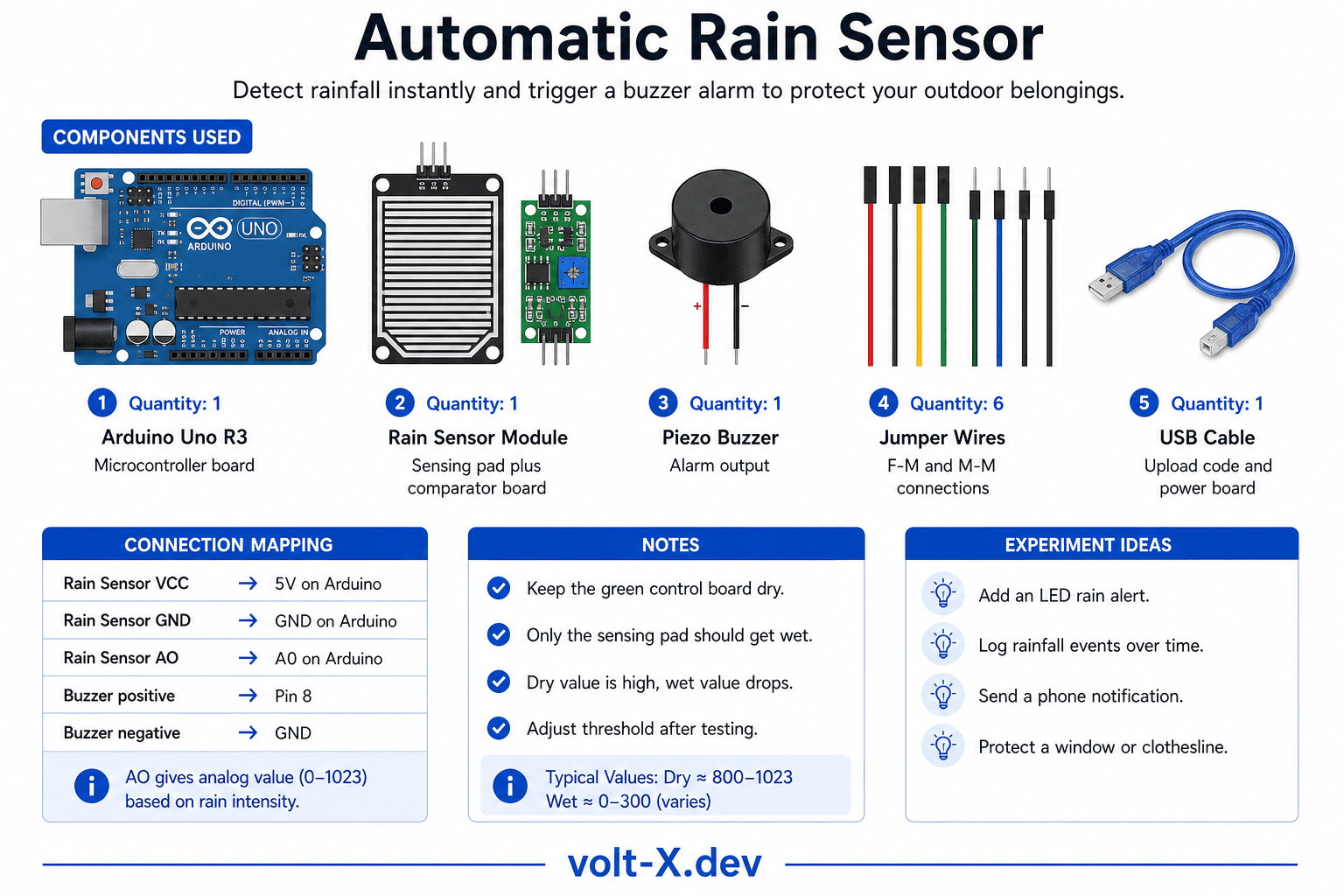
The rain sensor consists of a sensing pad with nickel-coated traces. Water drops bridge these traces, changing the board's resistance, which the Arduino detects via an analog pin.
What you'll learn: Moisture sensing, analog thresholds, and environment-triggered events.
Estimated time: 30-40 minutes. Difficulty: ⭐⭐ Easy.
Components Needed
| Component | Specification | Qty | Notes |
|---|---|---|---|
| Arduino Uno R3 | 5V | 1 | |
| Rain Sensor Module | Sensing pad + Comparator | 1 | |
| Piezo Buzzer | Alarm | 1 | |
| Jumper Wires | F-M and M-M | 6 |
Component Pin Mapping
Step-by-Step Tutorial
1
Wire the Sensor
Connect VCC → 5V, GND → GND, AO → Pin A0.
2
Connect Buzzer
Connect buzzer positive to pin 8, negative to GND.
3
Test Dry
Serial Monitor should show high values (e.g., 1023) when dry.
4
Test Wet
Put a single drop of water on the pad. The value should drop sharply and trigger the buzzer.
Keep the sensor module (the green electronics board) dry! Only the sensing pad (the larger plate with traces) should be exposed to rain.
Arduino Code
rain_alarm.ino
INO
// Rain Alarm : Volt X
const int sensor = A0;
const int buzzer = 8;
const int threshold = 500;

void setup() {
  pinMode(buzzer, OUTPUT);
  Serial.begin(9600);
}

void loop() {
  int val = analogRead(sensor);
  Serial.println(val);

  if (val < threshold) { // Water detected
    tone(buzzer, 1000);
  } else {
    noTone(buzzer);
  }
  delay(500);
}Reviews & Ratings
—0 reviews
Sign in to leave a review
Loading reviews...