⚡ Laser Security Tripwire
Create an invisible security beam that triggers an alarm when the laser light is blocked.
Overview
By pointing a laser at an LDR (Photoresistor), we create a high-voltage signal. If anyone walks through the beam, the light is blocked, the LDR resistance jumps, and the alarm triggers.
What you'll learn: Optical sensing, threshold calibration, and security logic.
Estimated time: 30-45 minutes. Difficulty: ⭐⭐ Easy.
Components Needed
| Component | Specification | Qty | Notes |
|---|---|---|---|
| Arduino Uno R3 | 5V | 1 | |
| Laser Diode | 5V 5mW Red | 1 | KY-008 module |
| LDR | Photoresistor | 1 | |
| Piezo Buzzer | Alarm | 1 | |
| Resistor | 10kOhm | 1 | For voltage divider |
Component Pin Mapping
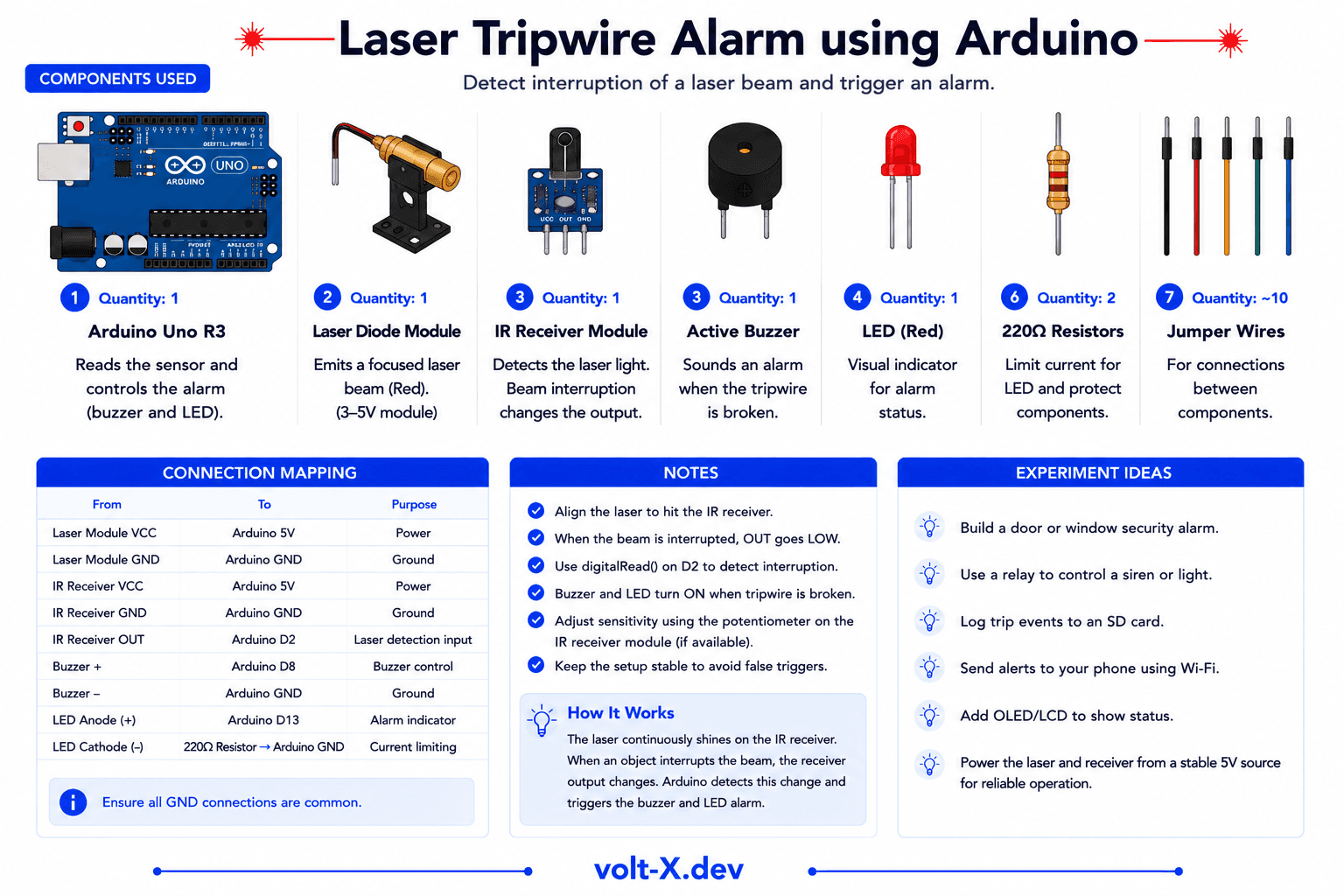
Step-by-Step Tutorial
1
Set Up Laser
Connect laser to 5V and GND. Aim it at the LDR from a distance.
2
Wire LDR
Create a voltage divider with 10kOhm resistor and connect to A0.
3
Wire Buzzer
Connect buzzer to pin 8.
4
Calibrate
Check Serial Monitor. Note the value when laser is hitting LDR vs when it is blocked. Set threshold accordingly.
Use a small tube (like a straw) over the LDR to block ambient light. This makes your tripwire much more reliable in bright rooms.
Arduino Code
laser_tripwire.ino
INO
// Laser Tripwire : Volt X
const int ldr = A0;
const int buzzer = 8;
int threshold = 800; // Adjust based on Serial Monitor

void setup() {
  pinMode(buzzer, OUTPUT);
  Serial.begin(9600);
}

void loop() {
  int val = analogRead(ldr);
  if (val < threshold) { // Beam broken
    tone(buzzer, 2000, 500);
    delay(500);
  } else {
    noTone(buzzer);
  }
}Reviews & Ratings
—0 reviews
Sign in to leave a review
Loading reviews...