🎲 Electronic Dice Roller
Press a button and get a random 1–6 on a 7-segment display — your first random number generator.
Overview
A 7-segment display has 7 LED segments (a-g) that can be turned on/off individually. By lighting specific combinations, you can display digits 0–9. Combined with Arduino's random(), you get a digital dice.
What you'll learn: 7-segment display wiring, segment mapping arrays, random(), and button debouncing.
Estimated time: 45–60 minutes. Difficulty: ⭐⭐ Easy.
Components Needed
| Component | Specification | Qty | Notes |
|---|---|---|---|
| Arduino Uno R3 | 5V | 1 | |
| 7-Segment Display | Common Cathode | 1 | 1-digit, 0.56" |
| Resistors | 220 Ohm | 7 | One per segment |
| Push Button | Momentary | 1 | Roll button |
| Resistor | 10k Ohm pull-down | 1 | For button |
| Breadboard + Wires | Full-size | 1 |
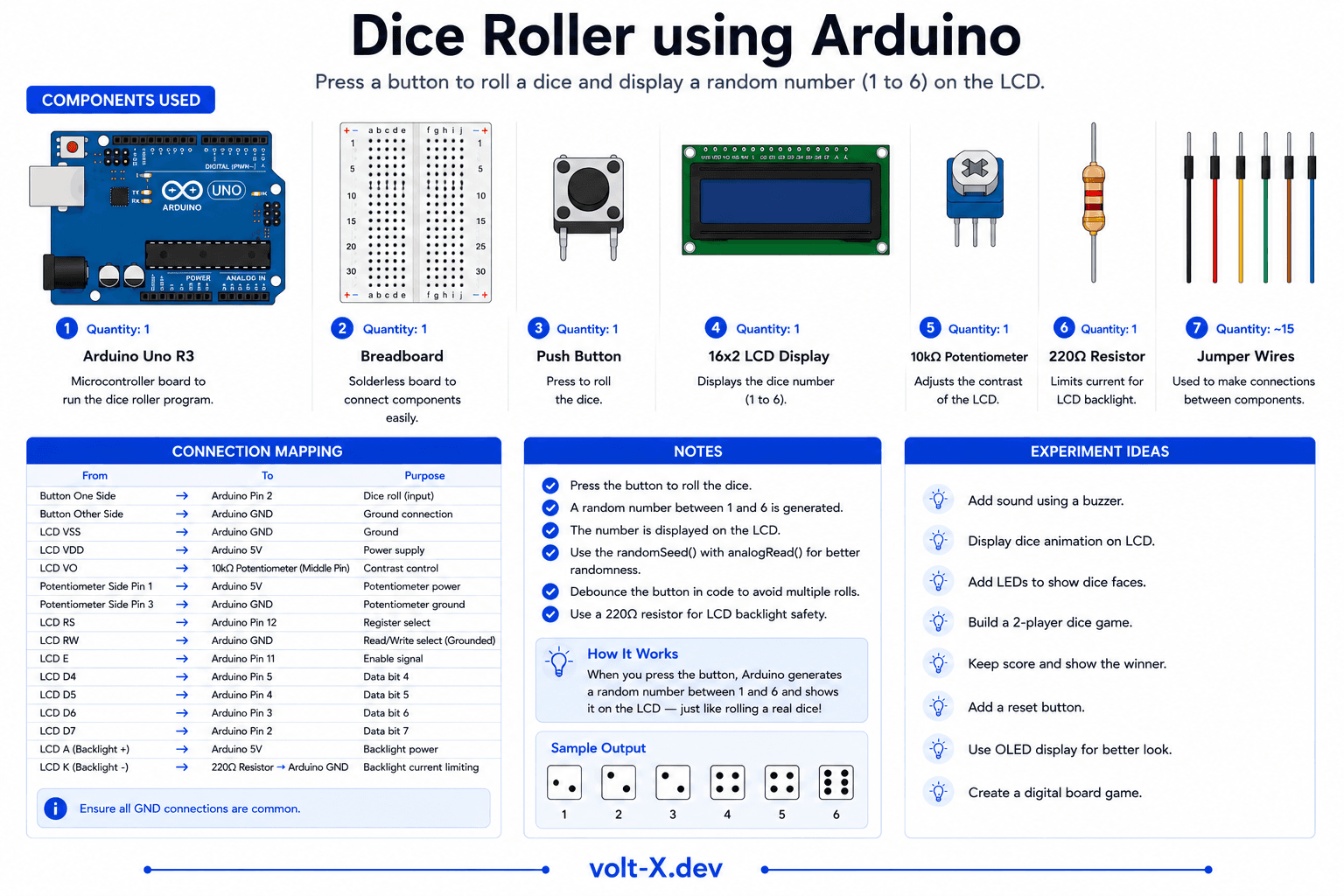
Component Pin Mapping
Step-by-Step Tutorial
1
Wire the Display
Connect segments a-g to Arduino pins 2???8 via 220 Ohm resistors. Connect common cathode to GND.
2
Wire the Button
Button -> pin 9 and 5V. 10k Ohm pull-down from pin 9 to GND.
3
Upload and Roll
Press the button to roll! A random 1???6 appears on the display.
Use randomSeed(analogRead(A0)) with an unconnected analog pin to get truly random seeds on every power cycle.
Arduino Code
dice_roller.ino
INO
// Electronic Dice Roller — Volt X
// Segments a-g connected to pins 2-8 (common cathode)
const int seg[7] = {2,3,4,5,6,7,8};
const int btn = 9;

// Segment patterns for 1-6
const byte digits[7][7] = {
  {0,1,1,0,0,0,0}, // 1
  {1,1,0,1,1,0,1}, // 2
  {1,1,1,1,0,0,1}, // 3
  {0,1,1,0,0,1,1}, // 4
  {1,0,1,1,0,1,1}, // 5
  {1,0,1,1,1,1,1}  // 6
};

void showDigit(int n) {
  for(int i=0;i<7;i++)
    digitalWrite(seg[i], digits[n][i]);
}

void setup() {
  for(int i=0;i<7;i++) pinMode(seg[i], OUTPUT);
  pinMode(btn, INPUT);
  randomSeed(analogRead(A0));
showDigit(0);Reviews & Ratings
—0 reviews
Sign in to leave a review
Loading reviews...